AI prototype went to prod. Had to fix it fast.
Built a design system in React on top of Shadcn's UI library that led to — faster handoffs, fewer UI bugs, and happier teams on both sides.
- Role
- Design Engineer
- Timeline
- June 2025
- Built a
- Design System
- Stack
- React, Shadcn, Tailwind
TL;DR
Our founders whipped up an AI prototype to test the idea, but that ended up going to prod. Looked horrible. Worked okay. Definitely not upto the standards my team and I had set at the company.
So I set out to build and customise the shadcn UI library in React. I started this as an experiment. Something to fix all the frontend problems we were facing. I didn't think it was gonna be used anytime soon. But it later helped us give our dashboard a full glam up in weeks.
Problems solved? Fastest ever implementation in our team's history. Design looked closer to the Figma design. Less back and forth and little to no hair pulling by our designers.
3x
Faster implementation
Weeks
Not months to ship
1
Revision round vs 5+
The messy beginning
AI prototype in production code. Priority is to make it functional and launch.
It started with a Replit AI prototype that our founder whipped up in order to validate the idea and confirm its viability/feasibility.
It was one of those "we just need to go live" kind of situations. Before we knew it, that same prototype made its way to production. The tech team picked all the code from Replit and hooked the functionality. And voilà we had our app.
It wasn't pretty, but it worked. The goal was speed. We had users waiting to try it out and we needed to onboard them.
There were two big moving pieces:
- The medical logic — the real product brain.
- And the design, which at that point was... let's say "in survival mode."
The real problem
No room for design — if we want anything changed, we need a faster, easier-to-implement system.
Dev bandwidth was tight, there was no room for design yet. Only high-impact UI changes were taken into consideration. Everything else? Pushed to "later."
From past projects with the team, I know how messy things can get.
Designs from Figma often looked different in production. And even a small change, like the button color, turned into a scavenger hunt for everywhere that button is used in the codebase.
Designers built things from scratch, with little sense of how devs actually implemented them.
We clearly needed common ground — a shared system and better design-dev practices.
And if we had any hope of making that dashboard look decent and reduce the design and technical debt, we had to figure out a way to make it easy and fast.
The turning point
We decided to use Shadcn UI library to ship faster.
A friend of mine introduced me to Shadcn UI library. I kinda loved it. I remember thinking, "how am I only hearing about this now?!" And suddenly, it was all I could hear everywhere.
It looked good right out of the box — clean, minimal, with the kind of vibe that already matched our brand. So I pitched it to the team.
The devs were on board immediately. They liked it better than their usual Material setup. Shadcn gave them more control and flexibility.
For the designers, my pitch was simple: this will make everyone's life easier. Fewer inconsistencies, faster implementation, and a library that already looks great even before we customise it.
The Quiet Work
Sprinkling my own fairy dust on it.
I started tinkering with Shadcn on my own.
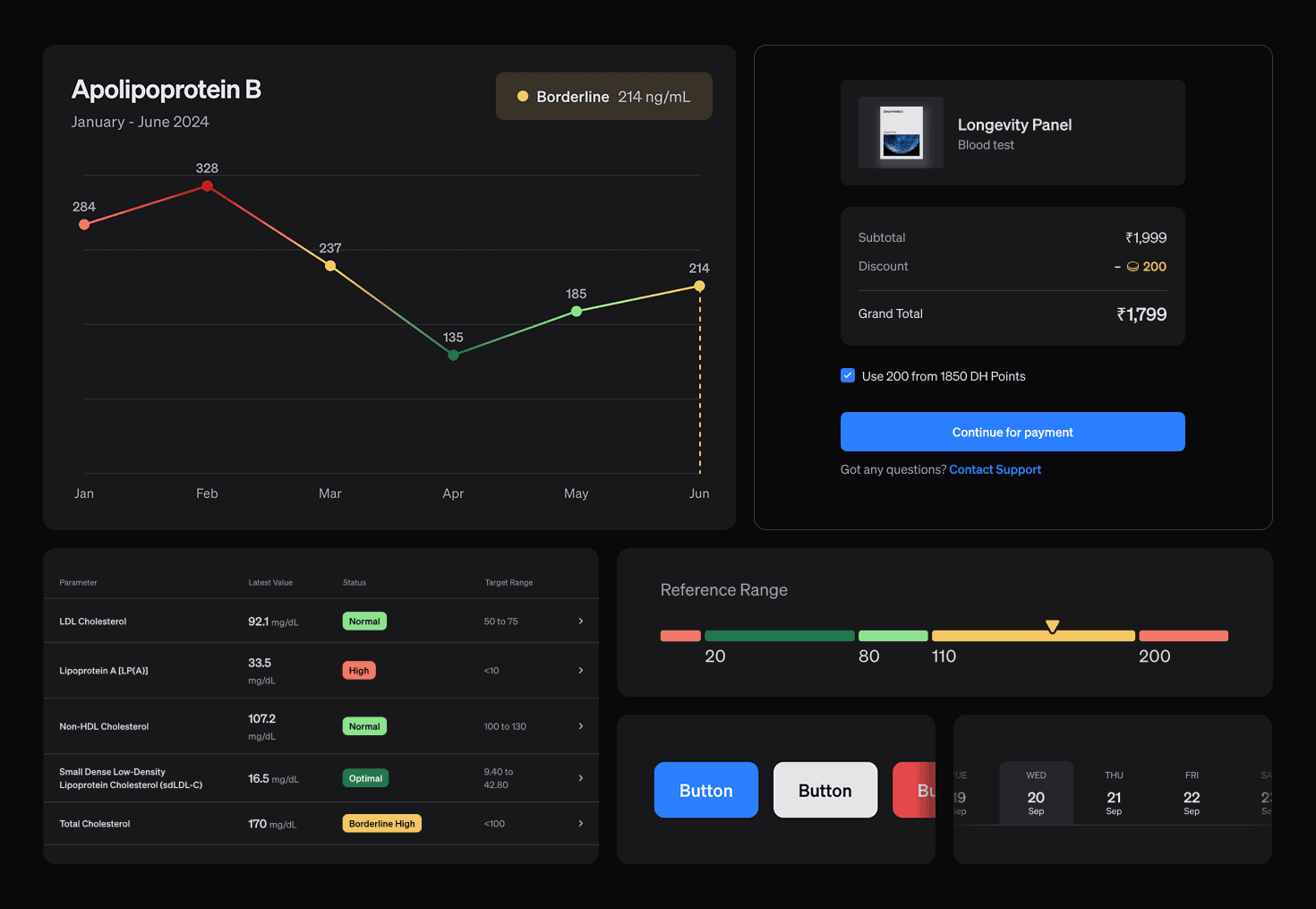
The great part was, whatever problems we encountered in the current production dashboard (the one built with Replit code) I solved for that in my project — layout files, common spacing on all pages, color tokens, custom components, customizing variants, graphs, light/dark mode, autofill color, font stacks, and what not.
P.S. all this is happening while the product team is building out the Replit prototype for production and design inputs were at the bottom of the priority list.
The "Oh Damn" Moment
One day, I was showing a UX recommendation to our founder. Or maybe it was that new graph I'd built... can't remember.
He looked at my screen, paused, and said,

This looks good! I want our dashboard to look like this.
What do you need from me to make this happen?
- co-founder, CPO
Access to the current front-end codebase, and a conversation with the person developing it.
- MeThe mess under the hood
I just wanted to assess how much work it'll be, and if there's anything I could do, like maybe taking one page at a time and giving them the cleaned up front end code?
But after looking at the codebase, I saw what a huge undertaking that was gonna be. I grossly underestimated the scale and complexity of the project. And the messiness and confusingness of the code written by AI.
I almost fainted looking at that sea of nested divs and the hardcoded values and the copy-pasted styling. The project apparently already had Shadcn installed but it was not used anywhere at all.
Hmm... Lot of work to do.
I talked to the front-end engineer to understand his process and choices in certain places. And it turns out they were crunched for time too, in a lot of places, entire AI code was copy pasted, with no changes to the UI, just functionality.
Implementation & Handoff
By the time the design team started finishing screens, I had the React design system ready and tested.
This time around, our handoff included:
- A list of file names to replace or add (from the design system React project)
- Figma annotated with component names matching what devs would see in code.
Before every handoff, I made sure every component looked right and worked right.
So devs could focus on mapping the layout and connecting APIs, not visual details of each component.
Impact
Design implementation took 2–3 weeks. Compared to the 2-3 months it took us the last time we built an app.
Little to no back-and-forth on changes after the devs shared the staging link.
I do not have production analytics for UI bugs or load time, but the code was considerably cleaner and scalable.
Happier devs — because less pixel pushing.
Happier designers — because more control on the developed front-end output.
If I did this again today...
- I'd use Claude Code instead of Replit. Replit was a pain to work with. (Or maybe I just know how to prompt better now.) I found I had more control over the output with Claude Code.
- Own the component code. Instead of giving devs files to copy-paste in, I'd ask for write access to a dedicated design system branch. That way the design system stays exactly as intended because the person who designed it is the one shipping it.
- Enforce the system. I would also add lint rules and PR checks to prevent hardcoded values and one-off component styling.
This was an interesting project for me. I used to find React intimidating. But this project opened me up a little. I've been learning more and more about coding design systems, about best practices, and building web apps.